
The website footer typically contains secondary navigation, contact details, copyright information, and additional links. With this setup, footer templates are managed directly through the Theme Builder using Elementor.
1. Default theme footer
By default, the theme includes a static footer layout suitable for simple websites.
Footer widget areas can be managed from Appearance → Widgets. This option is ideal if you do not require advanced layout customization.
2. Footer Builder
Edit the imported footer
When demo content is imported, a footer template is included automatically. To edit the existing footer design:
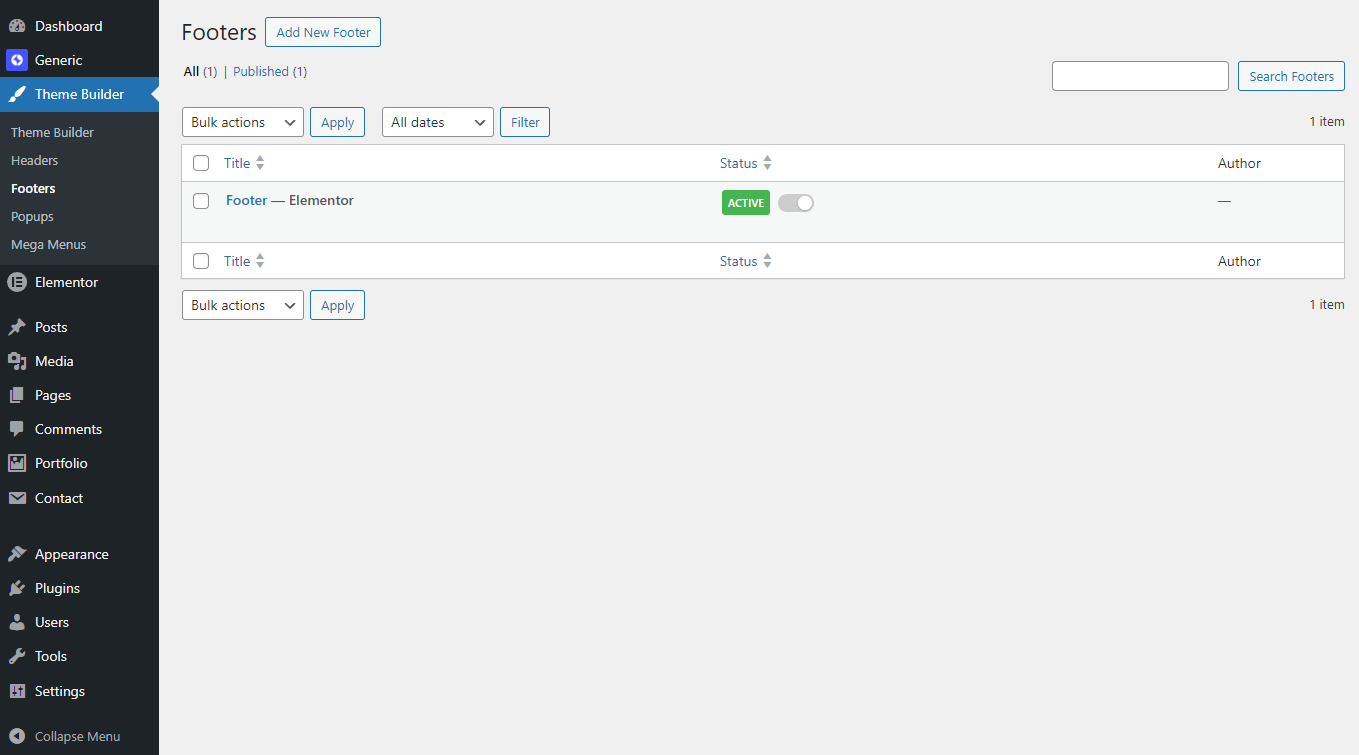
- Go to your site admin area -> Theme Builder -> Footers.

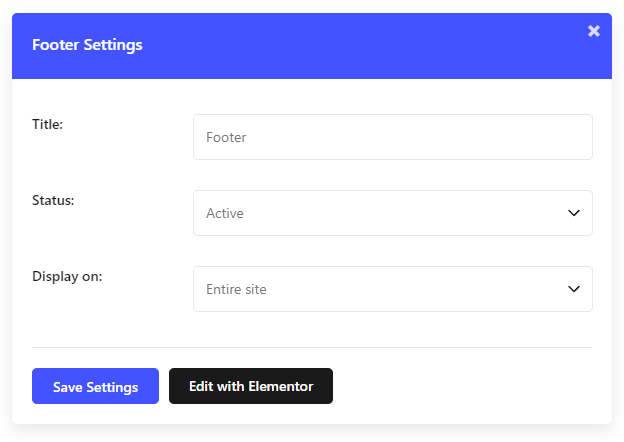
- Open the imported Footer template and click the Edit with Elementor to start customizing.
Create a new footer template from scratch
To create a footer template from scratch using Elementor:
- Navigate to your site admin area -> Theme Builder -> Footers -> click Add New.
- In the popup, enter a Title, and set Conditions -> Entire Site.
- Create a container-based structure, drag & drop content and widgets.
- You can also insert a pre-made template from the Template Library (click the Key icon at the bottom) – search for footer templates.
- Click Update to save your footer.
Global footer options
Global footer settings are accessible at Theme Options -> Layout -> Footer:
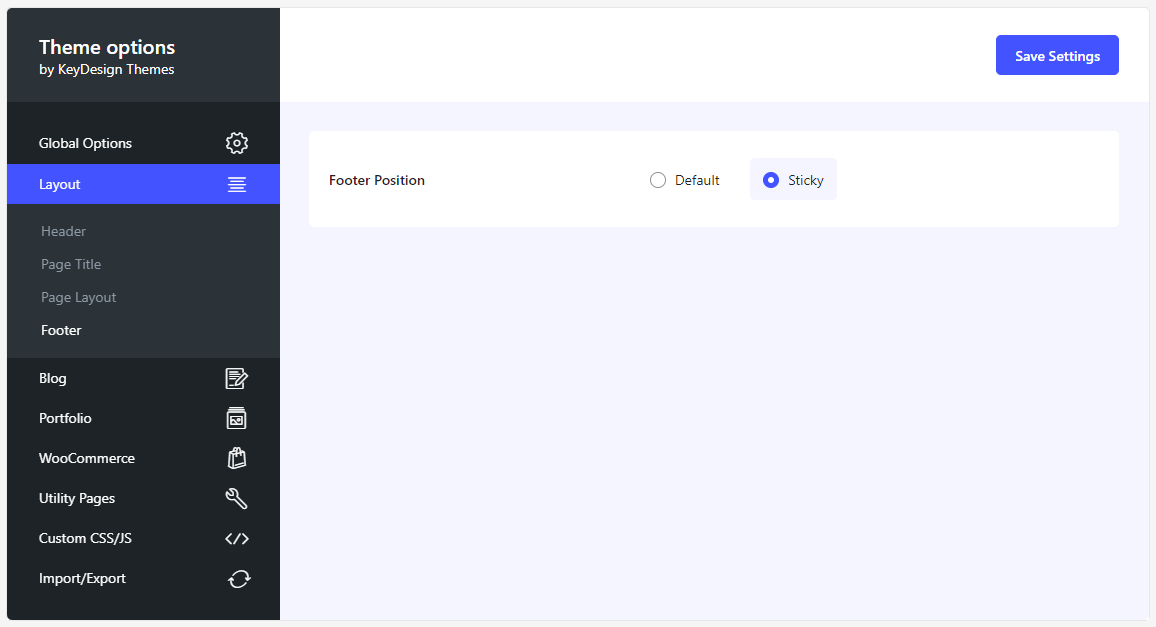
- Footer Position: Choose between Default (position relative) or Sticky (fixed at the bottom of the page).
Page-level footer options
Footer behavior can also be controlled per page:
- Edit any page with Elementor.
- Click the Page Settings icon in the top-left corner.
- Switch to the Style tab.
- Open the Footer settings.
Available options may include:
- Hide the Footer section
- Disable the sticky footer feature
- Hide the Back to Top button
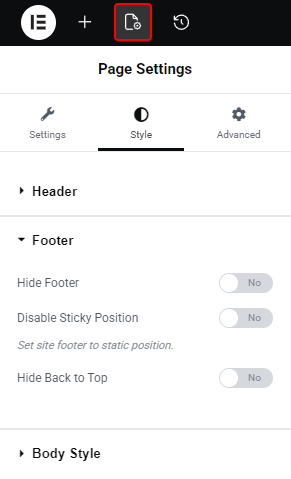
This allows you to fine-tune footer behavior on individual pages.
Using the Theme Builder gives you full flexibility to manage and customize your website footer while keeping the setup clean and consistent. Whether you edit the imported footer or create a new one, Elementor provides complete control over layout and styling.
Was this article helpful?
What went wrong?
