
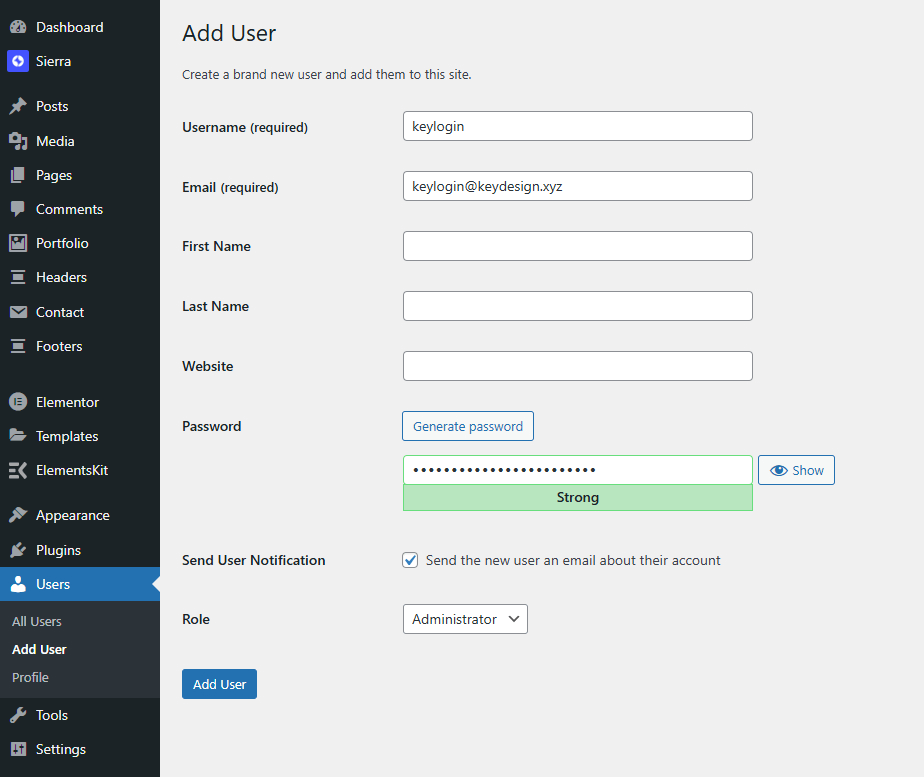
- In your WordPress Admin Dashboard, go to Users > Add New.
- Enter a Username (use keylogin)
- Enter an email address (use keylogin@keydesign.xyz)
- Copy the password generated by WordPress
- Ensure that the Role is set to Administrator.
- If your site is not in English, please define English as this user’s language
- Select Add New User.
Was this article helpful?
What went wrong?
